

If you’re familiar with the world of interior design and architecture, you may have come across the terms 3D modeling and 3D rendering. While the two seem to be the same (and there are some similarities between them), they are essentially very different from each other.
If you plan on working in the design field, you need to know these differences as the two processes can be used in conjunction (at least in most cases). This will also familiarise you with the famous Sketchup rendering plugin and the hype surrounding it.
Further down, this guide discusses the essential differences between the two processes.
Understanding the Two Terms
To begin with, 3D Modeling is a process through which three-dimensional images can be generated with the help of specialized software that runs on mathematical equations. This means a 3D image is formed by connecting vertices or points to faces and edges. These 3D images can then be used to make renders or animations.
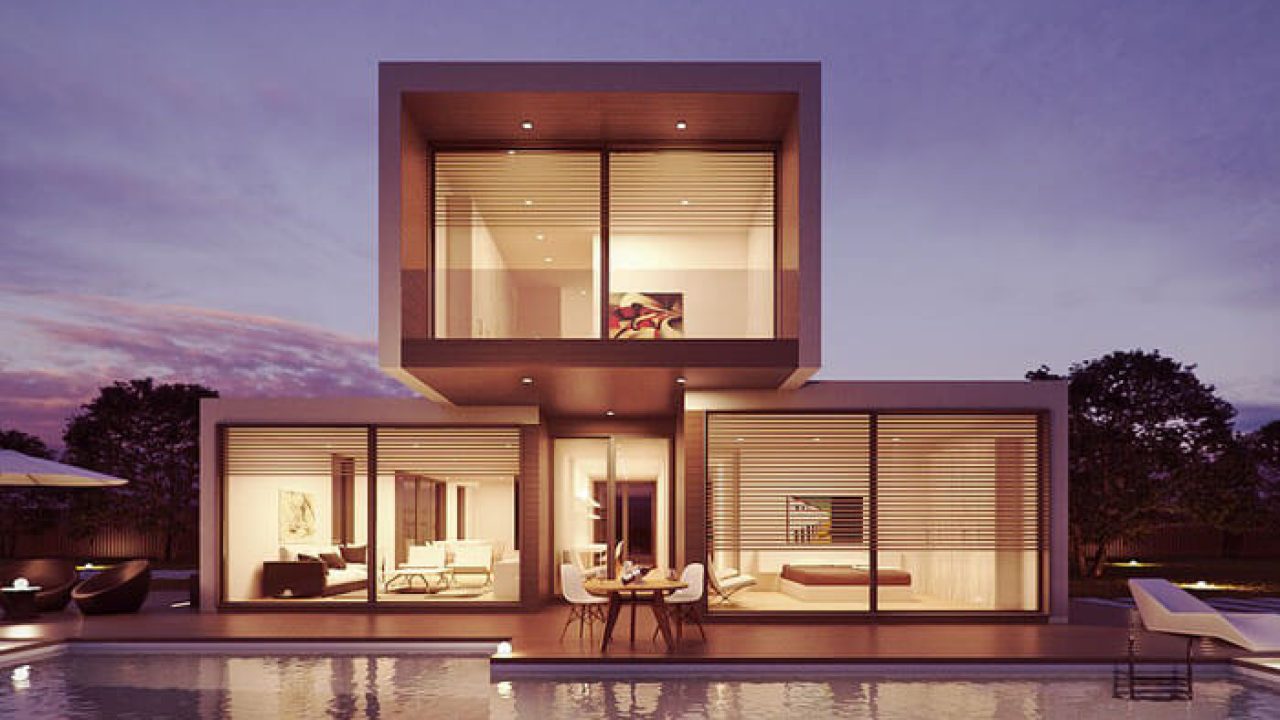
On the other hand, 3D rendering does not involve any physical objects or buildings. It is instead a virtual (but photorealistic) representation of your architectural designs in which adjustments can be made to improvise. Moreover, since no physical prototypes are built, this method is more convenient and economical.
3D rendering can also be seen as the final step in building a design, as physical models can be made within the render to create a realistic output. Once the 3D production has been designed, special rendering software called the Sketchup rendering plugin can be used to add various effects like lights, textures, shadows, etc., until the outcome looks more three-dimensional. An example of 3D rendering would be virtual walk-throughs created for a semi-built or unbuilt space.
Difference between the Two
The first and foremost difference between the two processes is that each is a separate step within the computer-generated image (CGI). To have 3D rendering, you need to have 3D modeled objects. The software cannot produce photorealistic images without access to the space size, textures, shapes, etc.
So, mathematical software first helps to ascertain the size, width, height, etc. Then, textures are added to the models, such as wood, glass, stone, etc., after the initial stage of construction is over. This gives the model a more realistic look. Once 3D Modeling is so done, the process of 3D rendering begins.
Designers start by arranging the 3D models in a given space so that the final output is both functional and aesthetically pleasing. Then, texture, lights, and shadows are added for a more photorealistic image. Finally, the computer shoots off a render.
Reusability of 3D Models within 3D Renders
The best part is that a single 3D model, including its color and design elements, can be easily used to create 25 to 30 distinct images for catalogs. This way, shots from various angles can be taken of a single model. These shots can be reused in different 3D renders to develop unique images without additional work.
But, 3D renders are much more challenging to edit once animated.
The Final Word
As different as the two processes are, designers should always reuse 3D models to develop multiple versions of a single image. This is less work than using a Sketchup rendering plugin to edit the rendered image. Here are some top courses if you’re new to architectural rendering and would love to begin this journey.
Also, remember that not every plugin is simple to use and affordable. So choose one that is not too complex and less expensive (mainly depending on your needs).